Designing Effective Subagents
Introduction to subagents
Now that you know how to create subagents, let's look at the patterns that make them actually effective. A subagent that's poorly configured will wander, run too long, or produce output the main agent can't use. The fixes come down to four things: writing good descriptions, defining an output format, reporting obstacles, and limiting tool access.
How Subagent Config Data Gets Used
When you send a message to the main context window agent, the name and description of every available subagent are included in the system prompt. This is how the main agent decides which subagent to launch and when. If you want better control over when a subagent gets triggered automatically, the name and description are what you should tweak.
The description also plays a second role. When the main agent launches a subagent, it writes an input prompt to kick off the task. It uses the description as guidance for writing that prompt. So the description doesn't just control when a subagent runs -- it shapes what the subagent is told to do.
Writing Descriptions That Shape Input Prompts
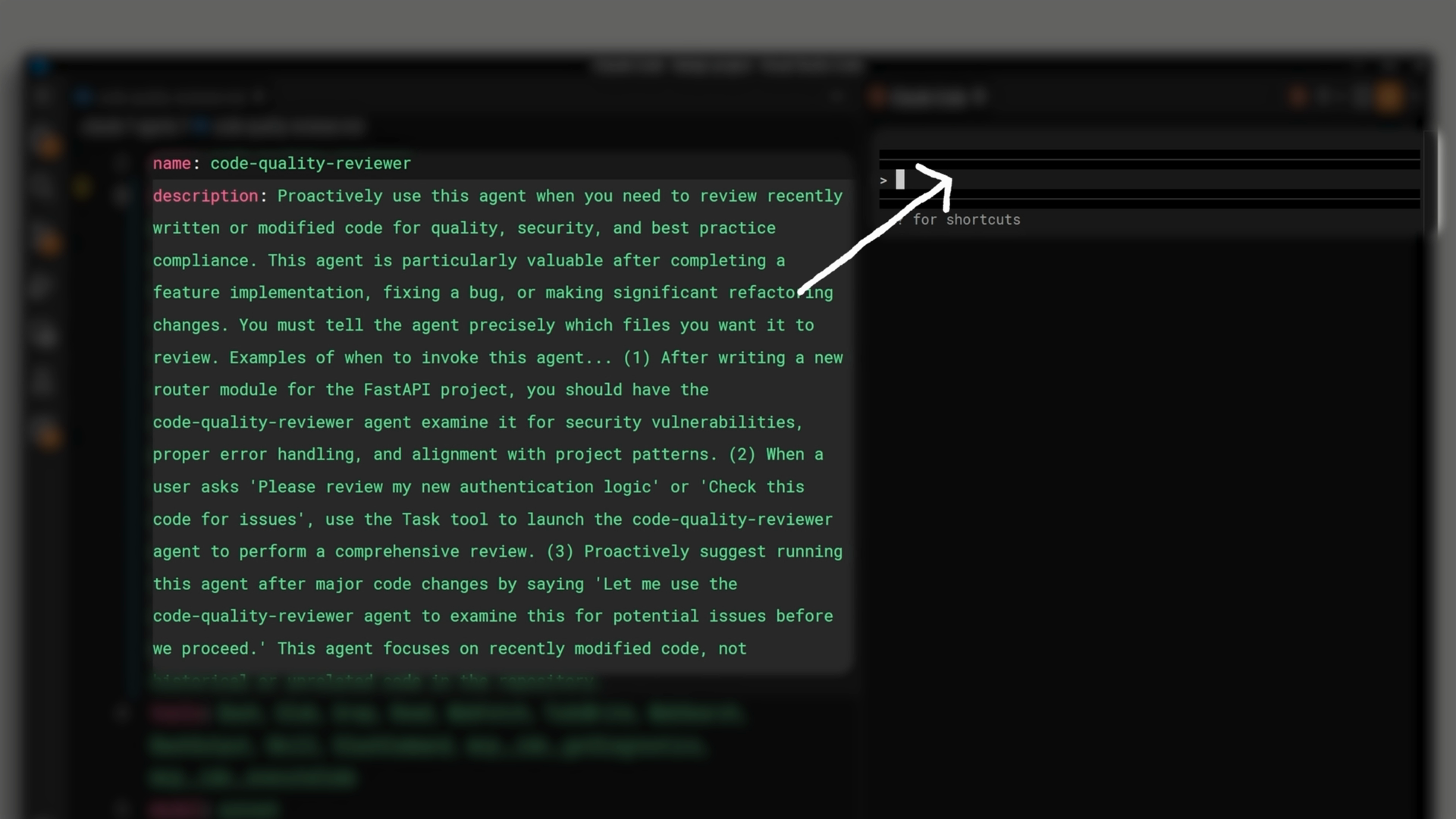
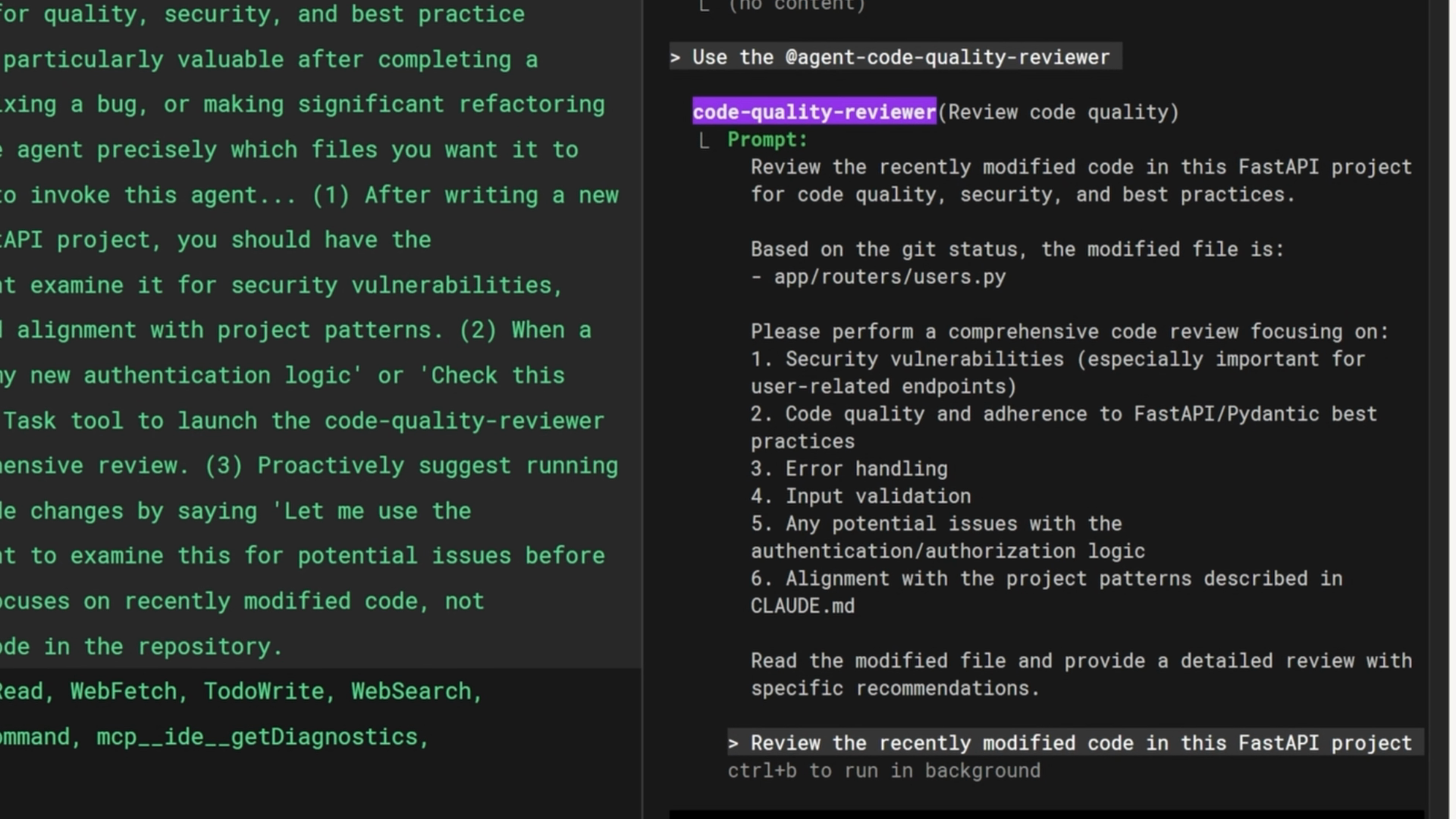
Consider a code review subagent. With a generic description, the main agent might write an input prompt like "use get diff to find the current changes." That's vague. The subagent has to figure out which files matter on its own.
If you update the description to include something like "You must tell the agent precisely which files you want it to review," the main agent will now write a much more specific input prompt that lists the actual files to review.
This same technique works across different types of subagents. For example, adding "return sources that can be cited" to a web search subagent's description causes the main agent to include that instruction when delegating the task.
Defining an Output Format
The single most important improvement you can make to a subagent is defining an output format in its system prompt. This does two things:
- It creates natural stopping points -- the subagent knows it's done when it has filled in each section of the format.
- It prevents the subagent from running too long. Without a defined output, subagents struggle to decide when enough research has been done and tend to run much longer than necessary.
Here's an example of a structured output format for a code review subagent:
Provide your review in a structured format:

1. Summary: Brief overview of what you reviewed and overall assessment
2. Critical Issues: Any security vulnerabilities, data integrity risks,
   or logic errors that must be fixed immediately
3. Major Issues: Quality problems, architecture misalignment, or
   significant performance concerns
4. Minor Issues: Style inconsistencies, documentation gaps, or
   minor optimizations
5. Recommendations: Suggestions for improvement, refactoring
   opportunities, or best practices to apply
6. Approval Status: Clear statement of whether the code is ready
   to merge/deploy or requires changes
This format gives the subagent a clear checklist to work through. Once every section is filled in, the subagent knows it can stop.
Reporting Obstacles
When a subagent discovers a workaround during its work -- like solving a dependency issue or finding that a certain command needs particular flags -- those details need to appear in the summary it returns. If they don't, the main thread has to rediscover the same solutions on its own, which wastes time and tokens.
The kinds of things you want surfaced include:
- Setup issues or environment quirks
- Workarounds discovered during the task
- Commands that needed special flags or configuration
- Dependencies or imports that caused problems
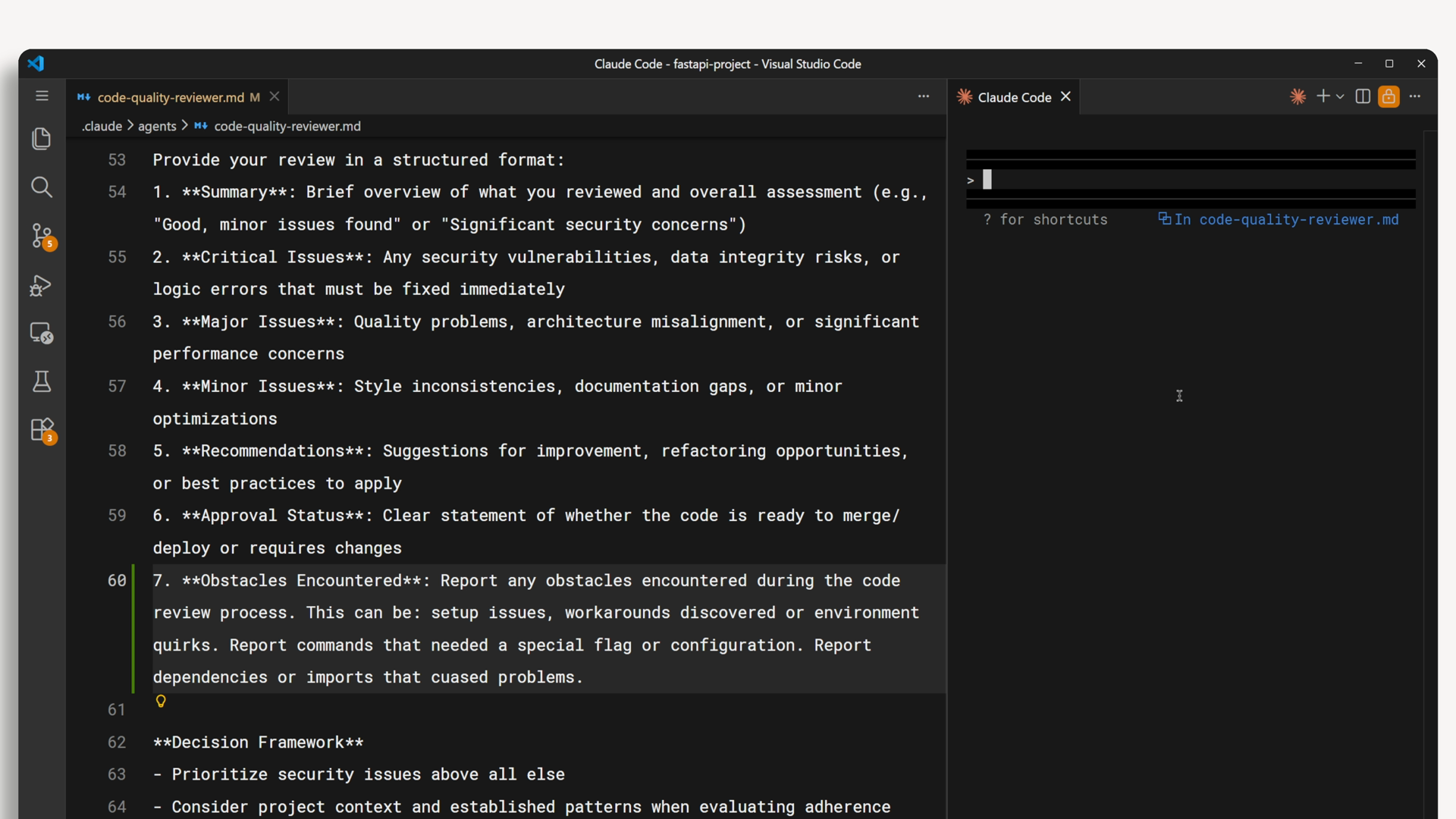
The way to get this information is to explicitly ask for it in the output format. Adding an "Obstacles Encountered" section to your output template surfaces this information reliably.
7. Obstacles Encountered: Report any obstacles encountered during the
   review process. This can be: setup issues, workarounds discovered or
   environment quirks. Report commands that needed a special flag or
   configuration. Report dependencies or imports that caused problems.
Limiting Tool Access
Not every subagent needs access to every tool. Think about what a subagent actually needs to do, and only give it the tools required for that job. This does two things: it prevents unintended side effects, and it makes each subagent's role clearer when you have several of them.
Here's how to think about tool access for common subagent types:
- Research / read-only subagent -- Only needs Glob, Grep, and Read. Cannot accidentally modify files.
- Code reviewer -- Needs Bash access to run git diff and see what changed, but still doesn't need Edit or Write.
- Styling / code modification agent -- This is where you give Edit and Write access, because the subagent's job is to actually change your code.
Putting It All Together
Effective subagents share four characteristics:
- Specific descriptions -- The description controls when the subagent is launched and what instructions it receives. Write it to steer both.
- Structured output -- Define an output format in the system prompt so the subagent knows when it's done and returns information the main thread can use.
- Obstacle reporting -- Include a section in the output format for workarounds, quirks, and problems so the main thread doesn't have to rediscover them.
- Limited tool access -- Only give a subagent the tools it actually needs. Read-only for research, bash for reviewers, edit/write only for agents that should change code.
Each of these patterns is simple on its own, but together they turn a subagent from something that vaguely tries to help into a focused, predictable worker that finishes on time and reports back clearly.